![multibookロゴ.png]](https://faq.multibook.jp/hs-fs/hubfs/multibook%E3%83%AD%E3%82%B4.png?height=40&name=multibook%E3%83%AD%E3%82%B4.png)
Menu
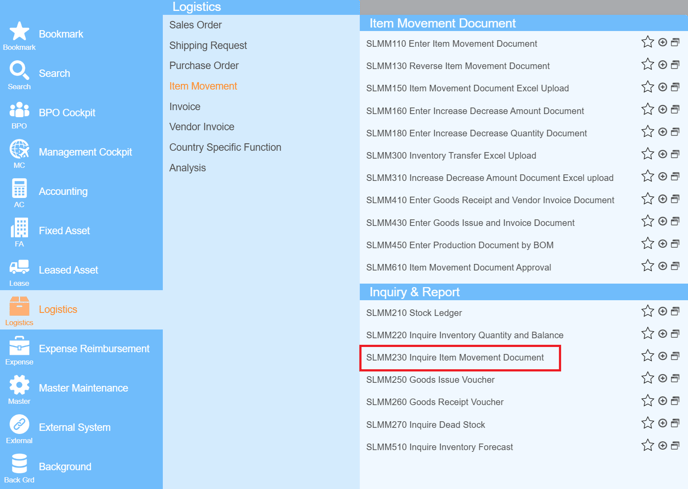
Basic Operation
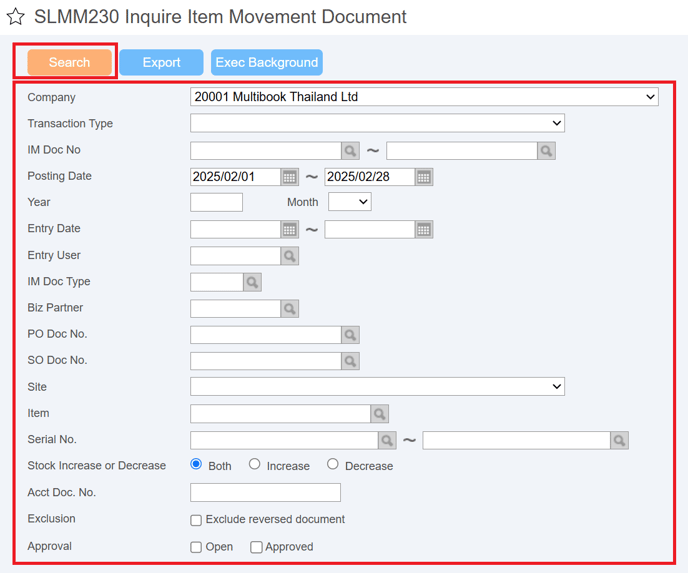
- Enter the output conditions for the item movement document and click Search button. (Refer to the next page)
|
Item |
Explanation |
Input |
Remarks |
|
Company |
Select a company code. User's company is displayed by default. |
Mandatory |
|
|
Transaction Type |
It is possible to narrow down by transaction type. |
Optional |
|
|
IM Doc No. |
It is possible to narrow down by the IM doc no. |
Optional |
|
|
Posting Date |
It is possible to narrow down by the posting date. |
Optional |
|
|
Year |
It is possible to narrow down by the year. |
Optional |
|
|
Month |
It is possible to narrow down by the month. |
Optional |
|
|
Entry Date |
It is possible to narrow down by the entry date. |
Optional |
|
|
Entry User |
It is possible to narrow down by the entry user. |
Optional |
|
|
IM Doc Type |
It is possible to narrow down by the IM doc no. |
Optional |
|
|
Biz Partner |
It is possible to narrow down by the biz partner. |
Optional |
|
Item |
Explanation |
Input |
Remarks |
|
PO Doc No. |
It is possible to narrow down by the PO doc no. |
Optional |
|
|
SO Doc No. |
It is possible to narrow down by the SO doc no. |
Optional |
|
|
Site |
It is possible to narrow down by the site. |
Optional |
|
|
Item |
It is possible to narrow down by the item. |
Optional |
|
|
Serial No. |
It is possible to narrow down by the serial no. |
Optional |
|
|
Stock Increase or Decrease |
Select either "Both", "Increase", or "Decrease". |
Mandatory |
|
|
Acct Doc No. |
It is possible to narrow down by the acct doc no. |
Optional |
|
|
Exclusion |
Check to exclude reversed document. |
Optional |
|
|
Approval |
You can select "Open" or "Approved". |
Optional |
- Check the detail, select the detail line and click Detail button.
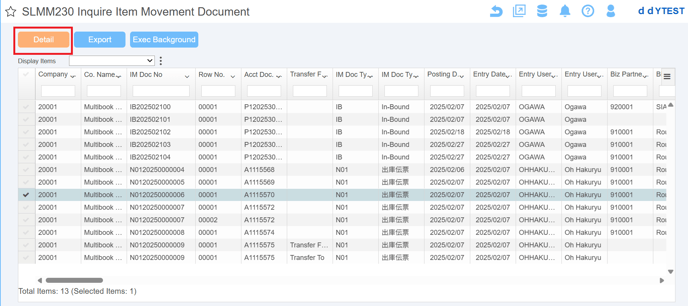
- The detail are displayed.
- Click Accounting Document button, you can transition to the journal document.
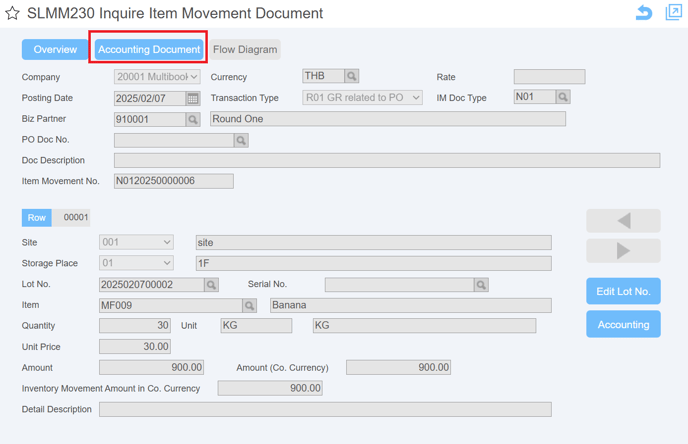
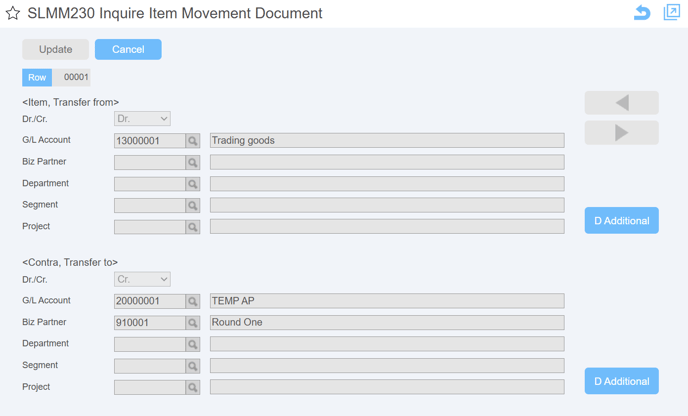
- You can check the journal by click Overview button.
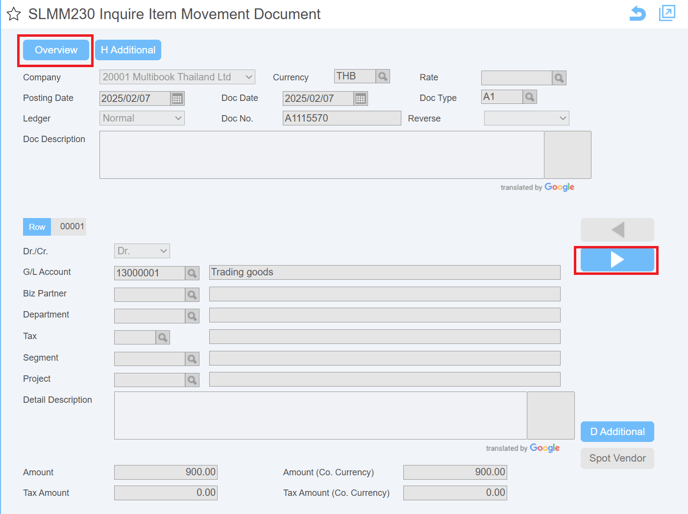
Overview
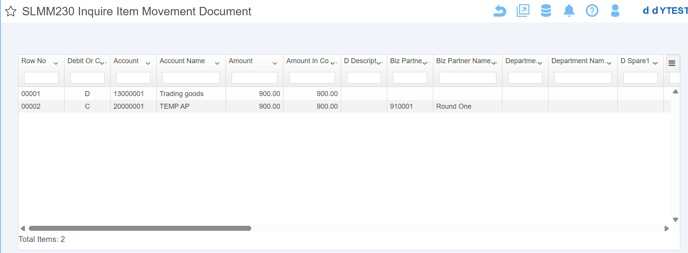
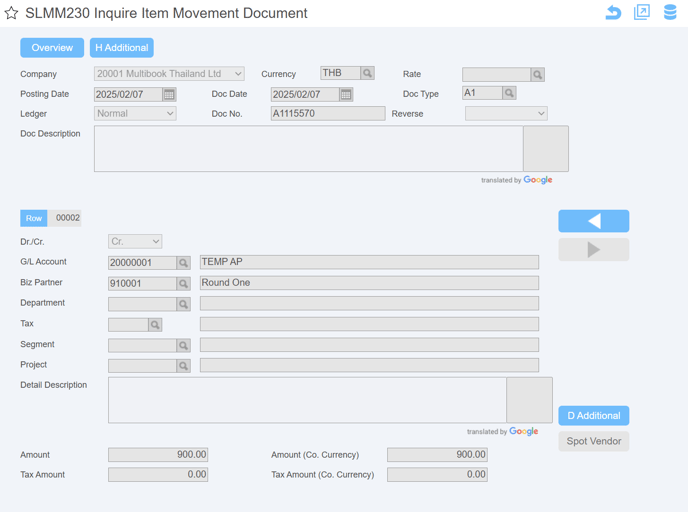
This is the second detail
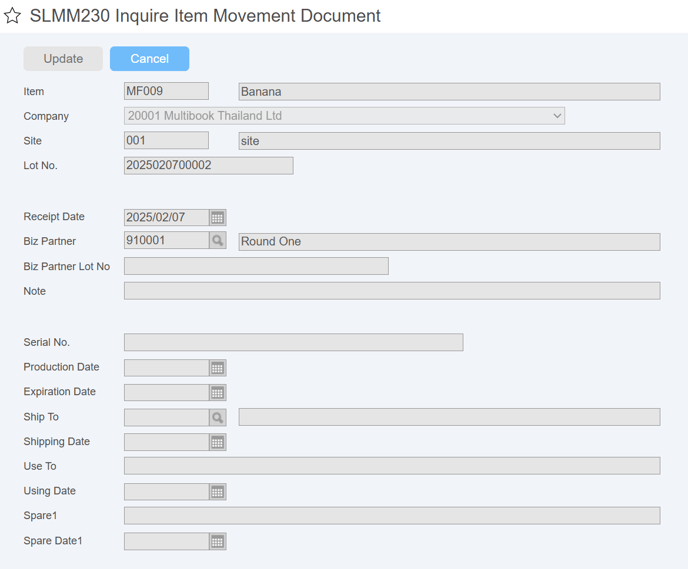
<ButtonーEdit Lot No.>
- It’s possible to check the lot information.
<ButtonーAccounting>
- It’s possible to check the accounting information.
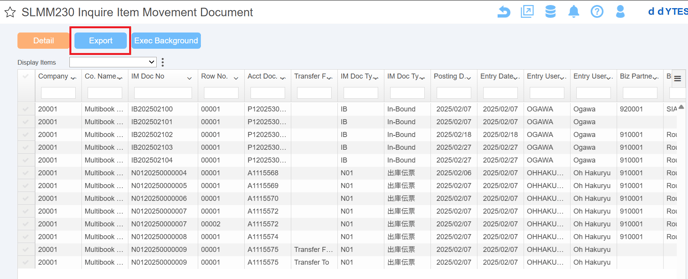
- Click Export button, the displayed list is output to Excel.
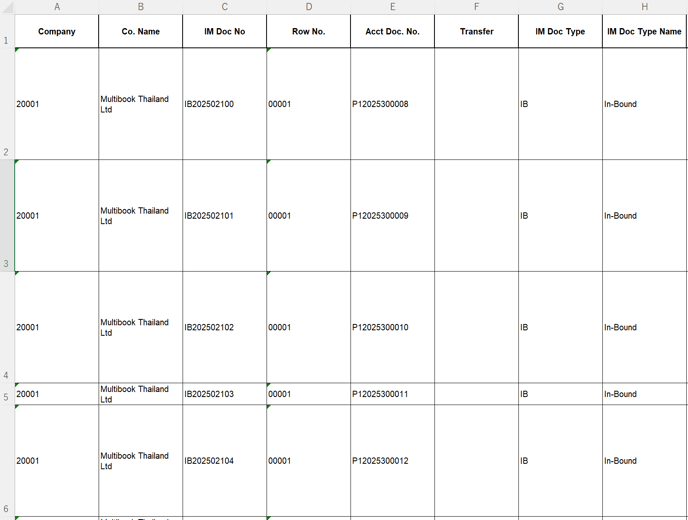
Export Excel File↓
EOF